
Limino
A toolkit for adaptive blending in Mixed Reality

Time
Fall 2022
(4 months)
Tools
Figma, Unity, Blender
Team & Role
Design Research
Interaction Prototype
In collaboration with Billy Kwok
Outcome
Technology Innovation award @UC Berkeley MDes
Workshop @MIT Reality Hack 2023 &

Overview
Design Context
Recent years have seen an explosion of Mixed Reality (MR) applications occupying different spots of the Reality-Virtuality Continuum (RVC).
However, a fixed level of immersion limits the flexibility in blending the physical and virtual worlds in certain use cases. Moreover, the characteristics and design considerations of different blending interactions have yet to be fully understood.
Design Response
Limino is an interaction design project exploring the potential of making blended-reality experiences more customizable.
We built a toolkit for designers and developers to support adaptive blending interactions in Mixed Reality applications. It supports 3 ways of defining pre-configured & responsive passthrough, and 3 ways to trigger different passthrough based on the context.


Final Interactive Prototype
Part 1: Designing Pre-configured and Responsive Passthrough
For pre-configured and responsive passthrough, we further proposed three subcategories of interactions - Casting, Piercing and Fading. They differ not only in their responsiveness but also in the way they are integrated into the scene. Specifically, Casting and Piercing add passthrough objects into the scene while Fading only changes the appearance of existing content.


Fading
With fading intersections, users can adjust the opacity of virtual content to reveal the passthrough background. Some objects are completely virtual, such as decorative plants and virtual barriers. Some are digital twins generated from the spatial anchors of their corresponding real-world objects, such as desks, couches, and walls.

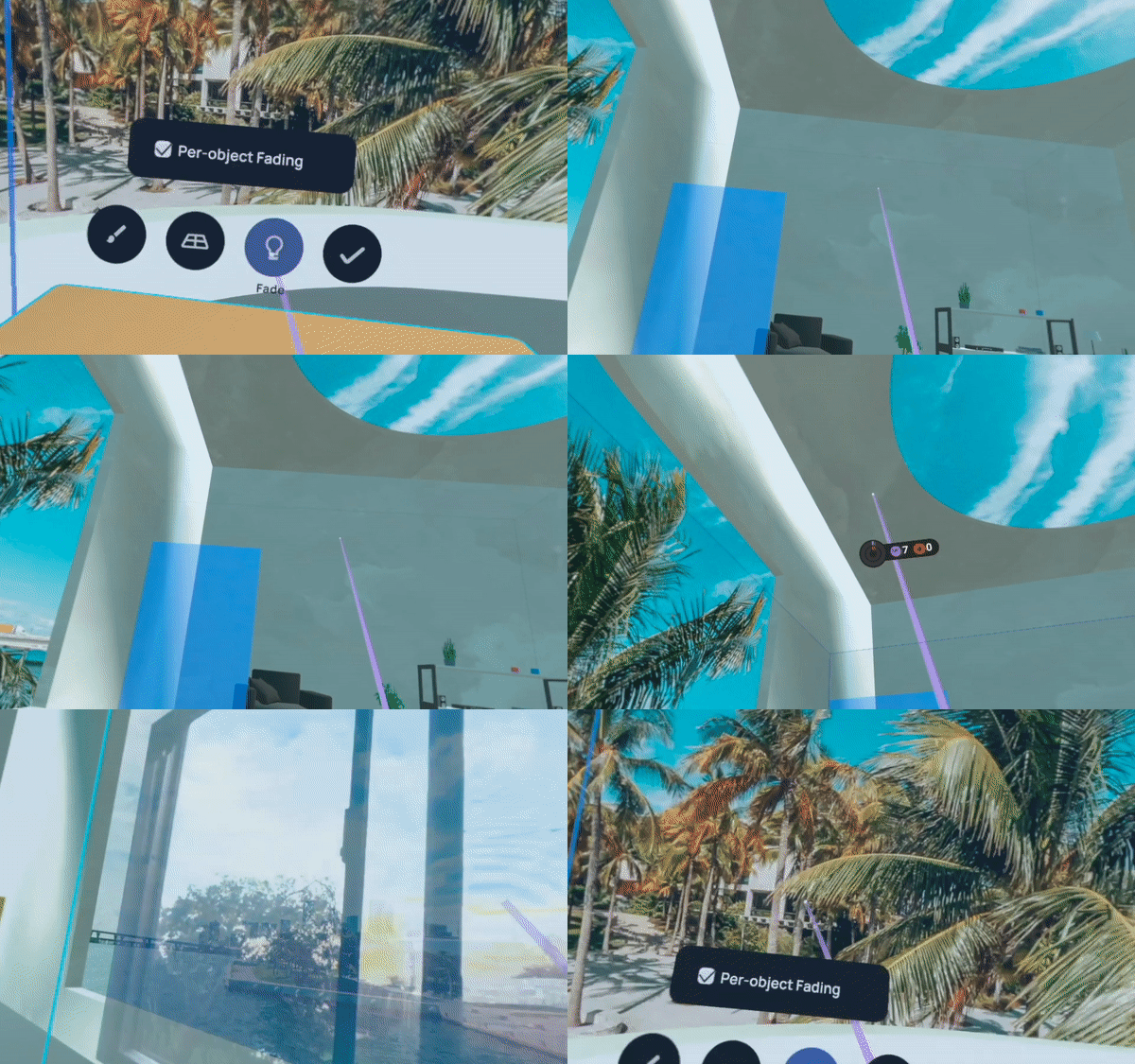
Object Fading
decreases the opacity of particular virtual objects or digital twins.
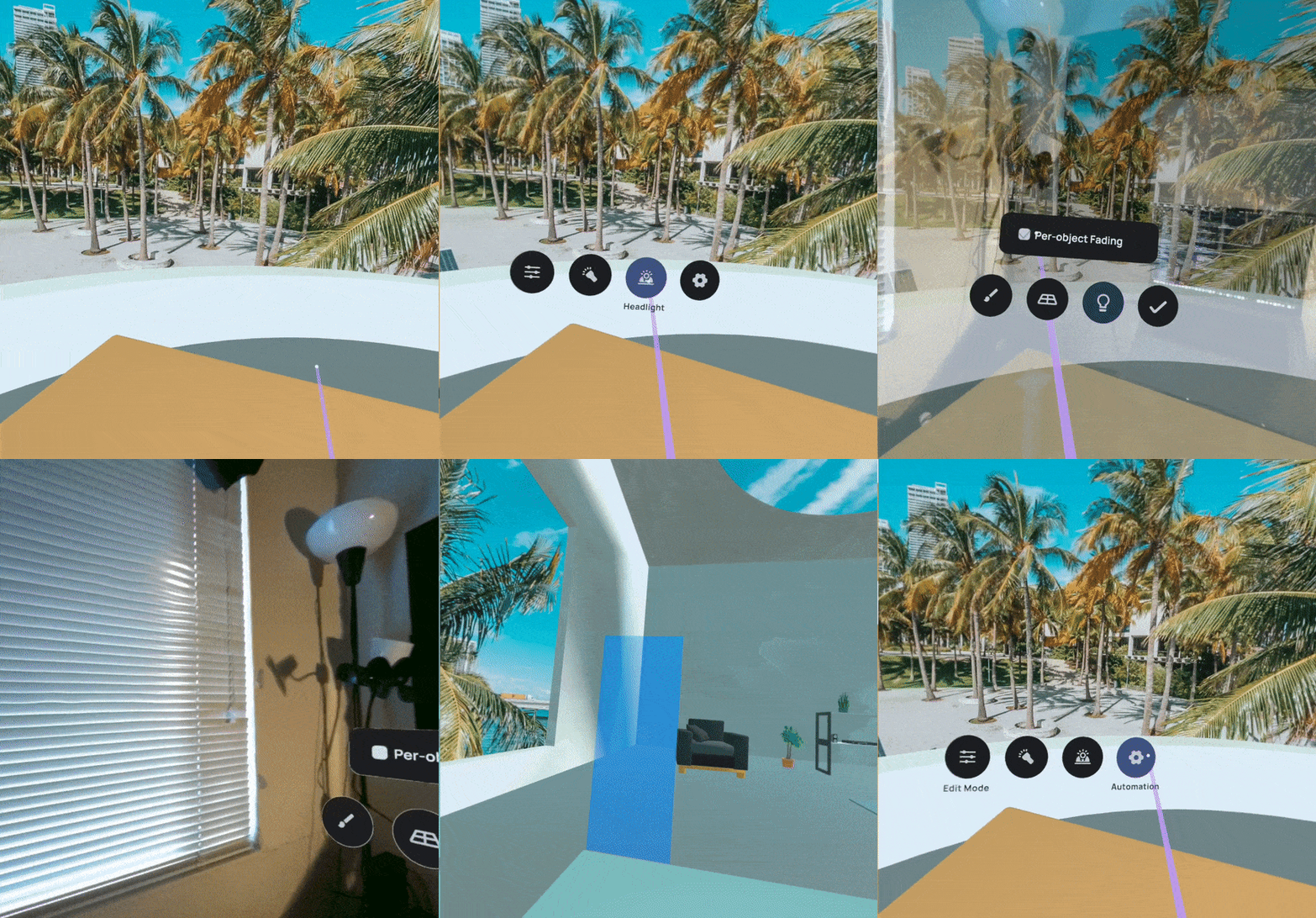
Global Fading
decreases the opacity of all virtual content.
Casting
With casting interactions, users can cast a passthrough shadow onto the environment as if using a searchlight. The searchlight can be attached to different body parts. In our prototype, we chose the head and hands, and their positions can be estimated using the headset and controllers.
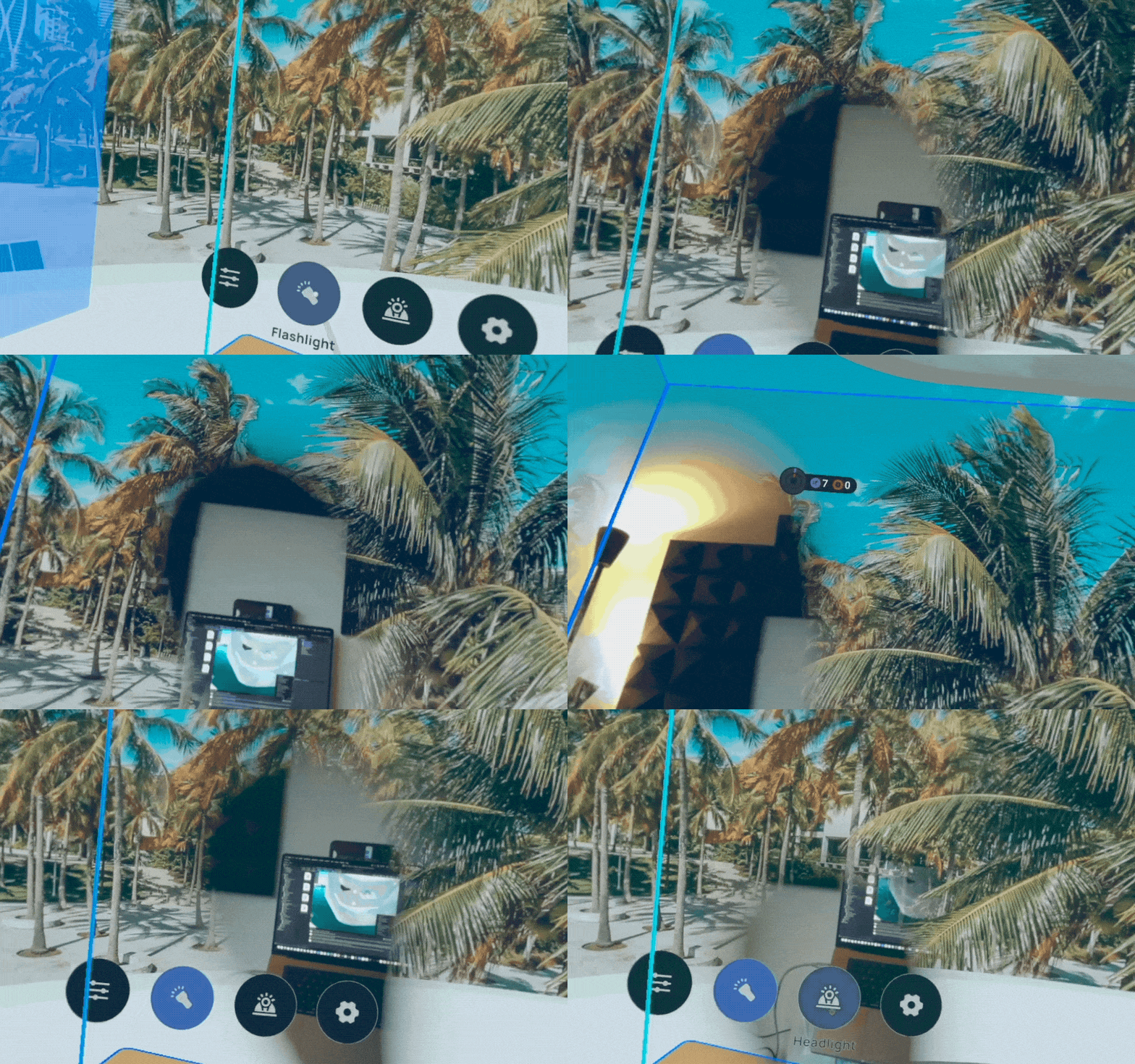
Flashlight
casts passthrough shadows by tracking the hand (controller) movement.
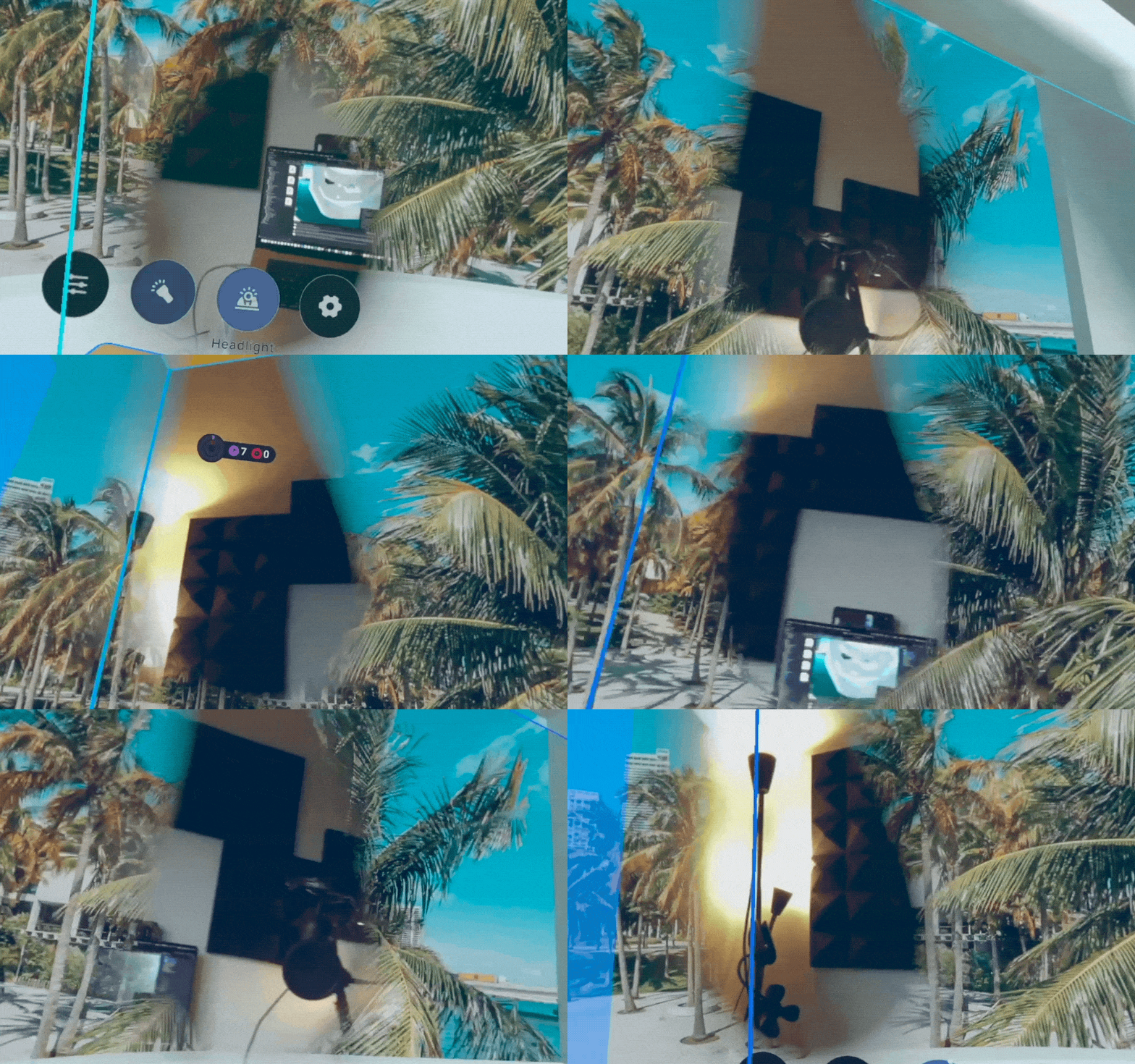
Headlight
casts passthrough shadows by tracking the head (headset) movement.
Piercing
With piercing interactions, users can create, update and remove cutouts that occlude the underneath virtual content with a slice of the live camera stream of the physical world. Passthrough Brush paints strokes of reality on top of the virtual environment using their controller. Passthrough Shape displays the passthrough image on a surface created by the projection from the controllers.

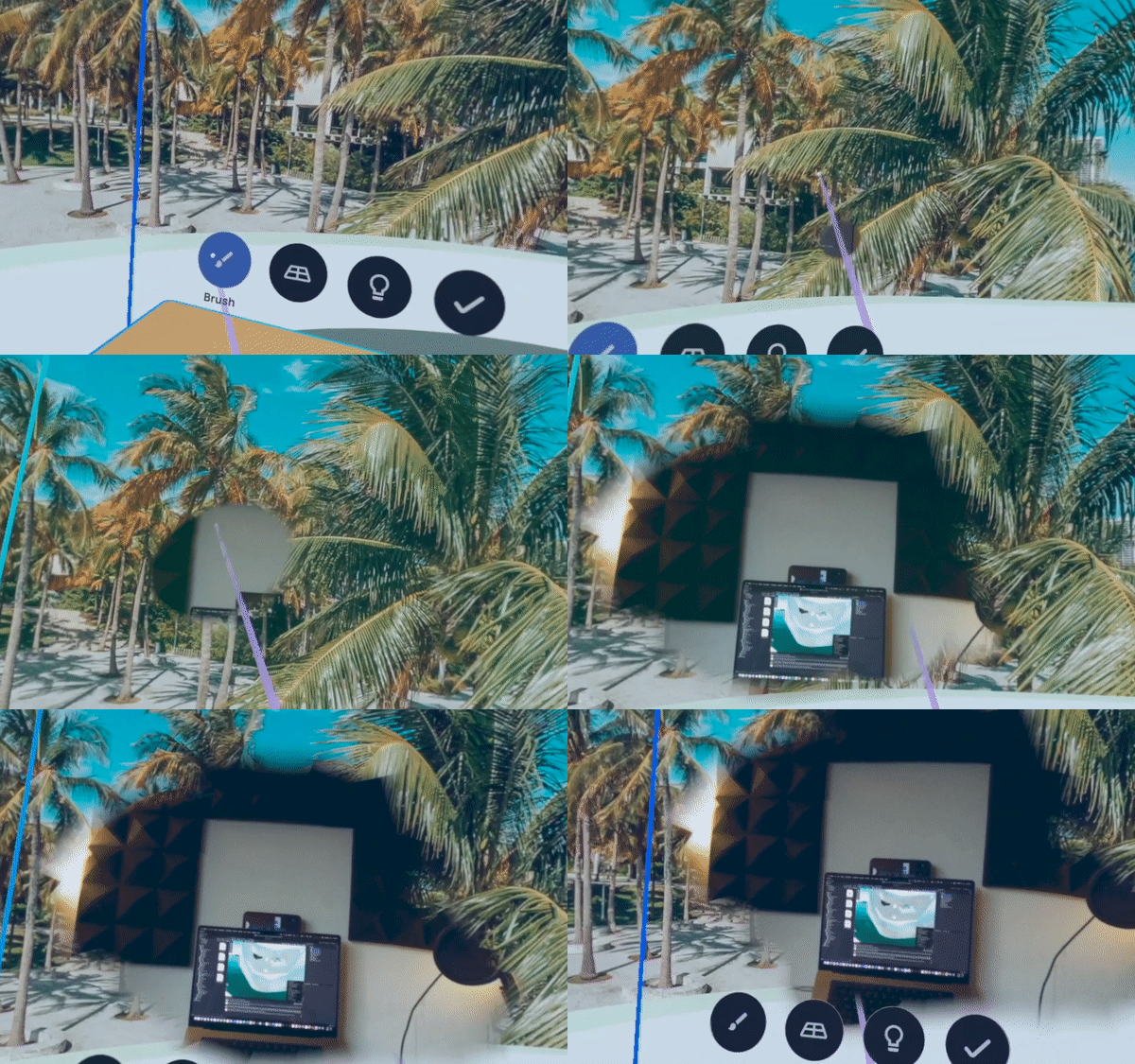
Brush
paints strokes of reality on top of the virtual environment using their controller.
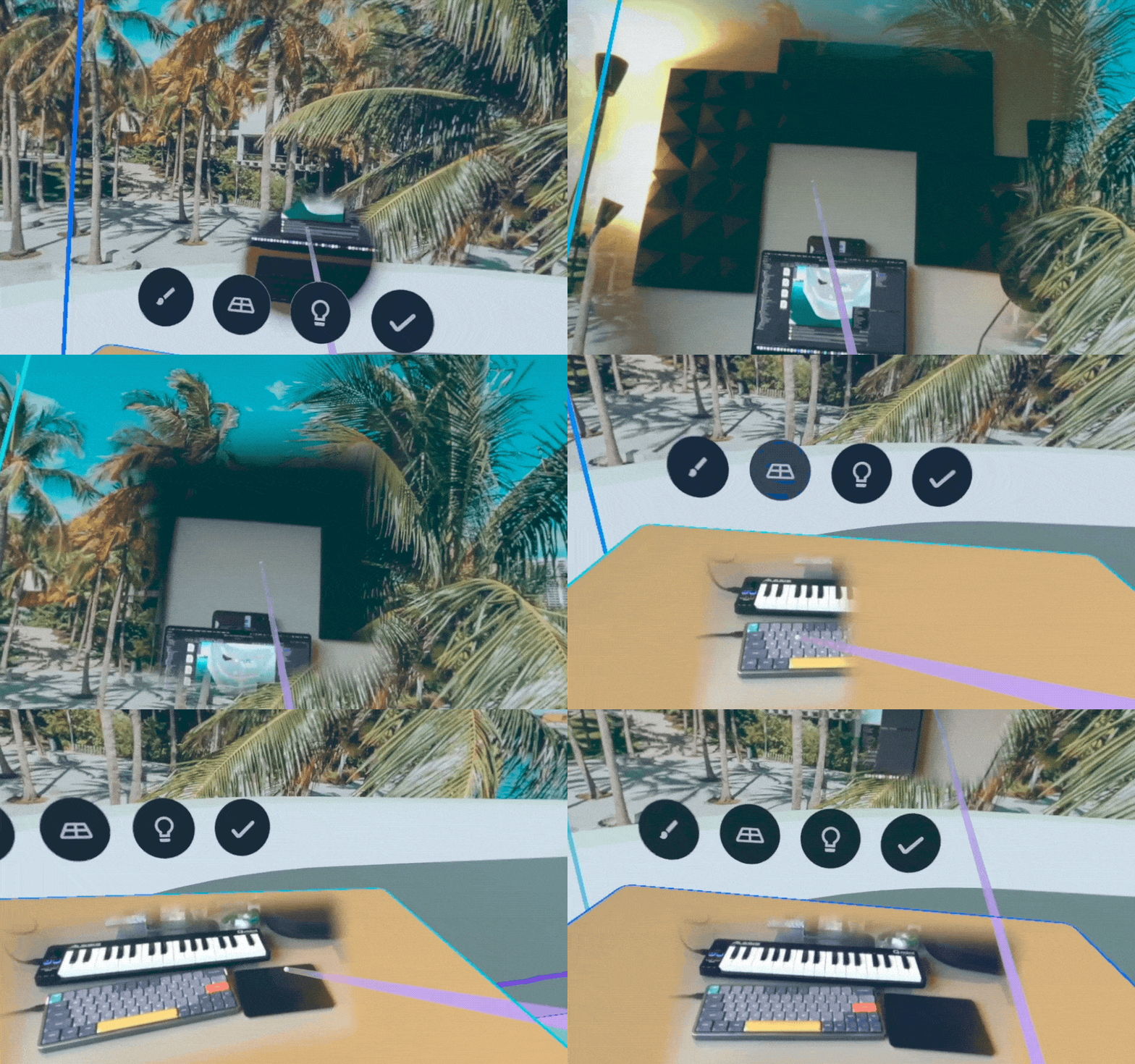
Shape
displays the passthrough image on a surface created by the projection from the controllers.
Part 2: Designing Context-aware Passthrough
From user research, we identified the design space of context-aware passthrough for using the toolkit under different scenarios with lower frictions.
In the second design exploration, we investigate what assistance can be provided on the system level in order to lower the effort of manually controlling the blending. For example, whether some interactions can be automatically toggled when some event happens.
Defining Context Awareness

Break Time
Break Time is an example of activity awareness that helps users temporarily exit the virtual environment by switching back to reality. The system understands when the user is taking a break from work by detecting the change in the headset position.
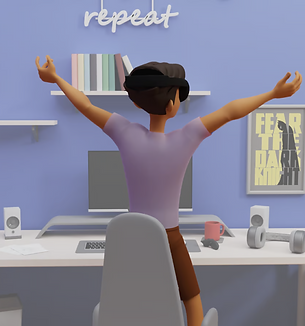
3rd-person view
Activity: a person stands up
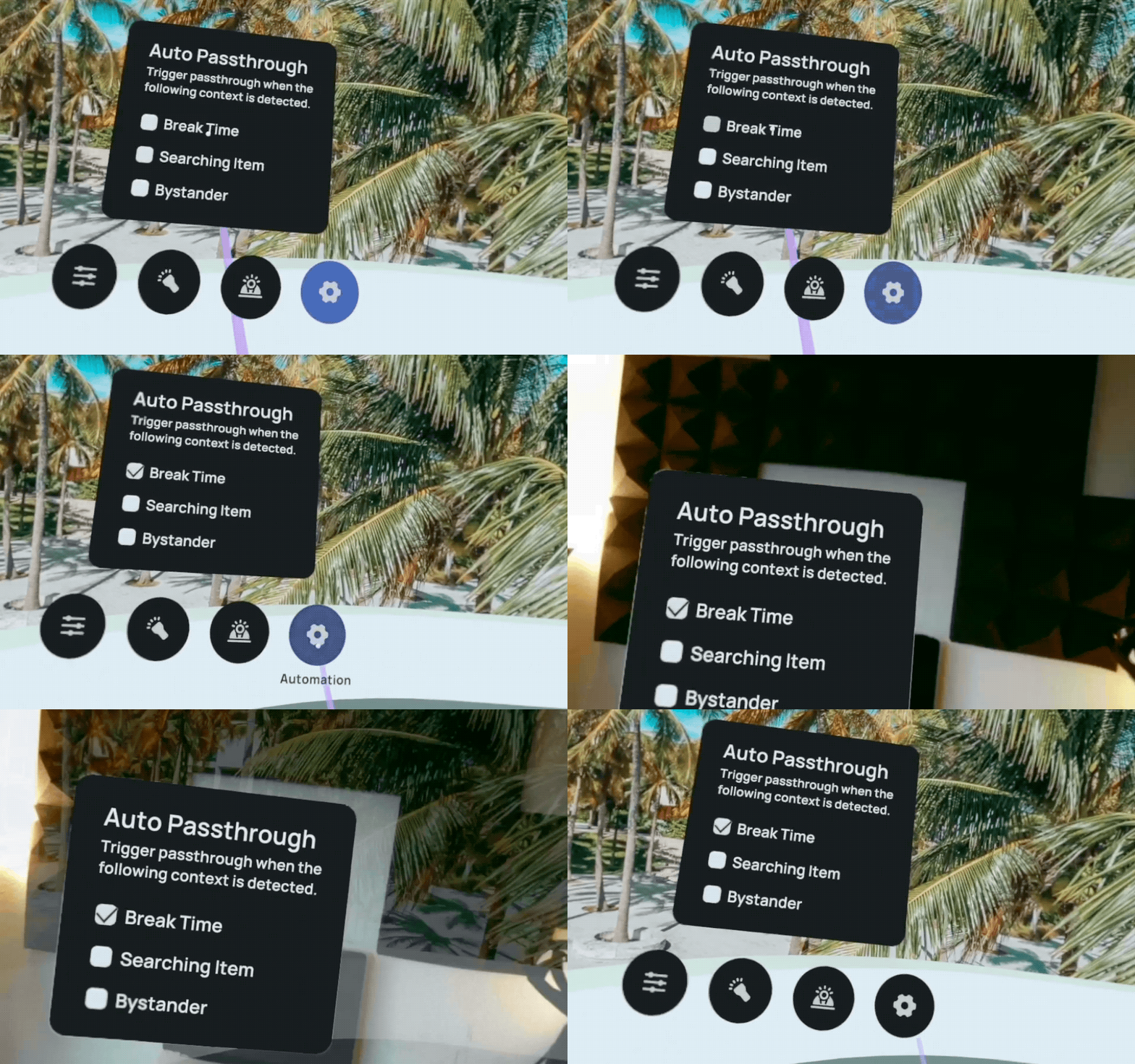
1st-person view
Global fading will be turned on when detecting the user's movement.
Item Searching
Item Searching is an example of activity awareness that assists users in locating items close enough to be reached with a stretched arm but far enough to be outside their peripheral vision.
When the system detects the need for item searching, it toggles on the aforementioned headlight interaction. The system understands the user movement by accessing the headset data, such as the location of the headset and controller.

3rd-person view
Activity: a person moves the hand trying to reach something on the desk
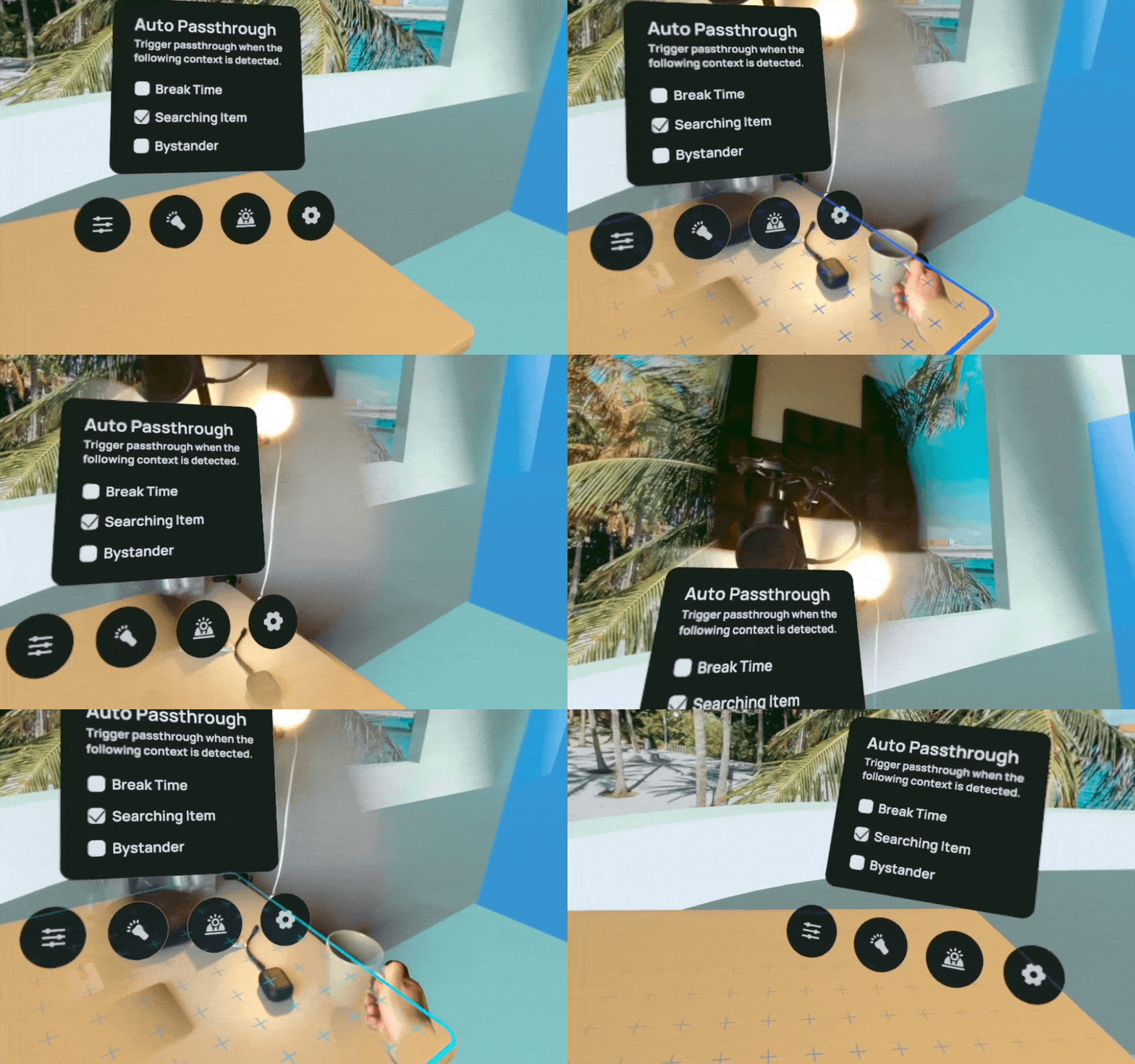
1st-person view
When the system detects the need for item searching, it toggles on the aforementioned headlight interaction.
Bystander Interruption
Bystander Interruption is an example of environmental awareness that recognizes bystanders entering the predefined activity boundary and fades out the virtual door overlay to reveal the real-world position of the person. Sensing devices ranging from cameras to microphones can be used for detecting changes in the space, such as a non-MR user entering the room.

3rd-person view
Environment change: a bystander coming into the room
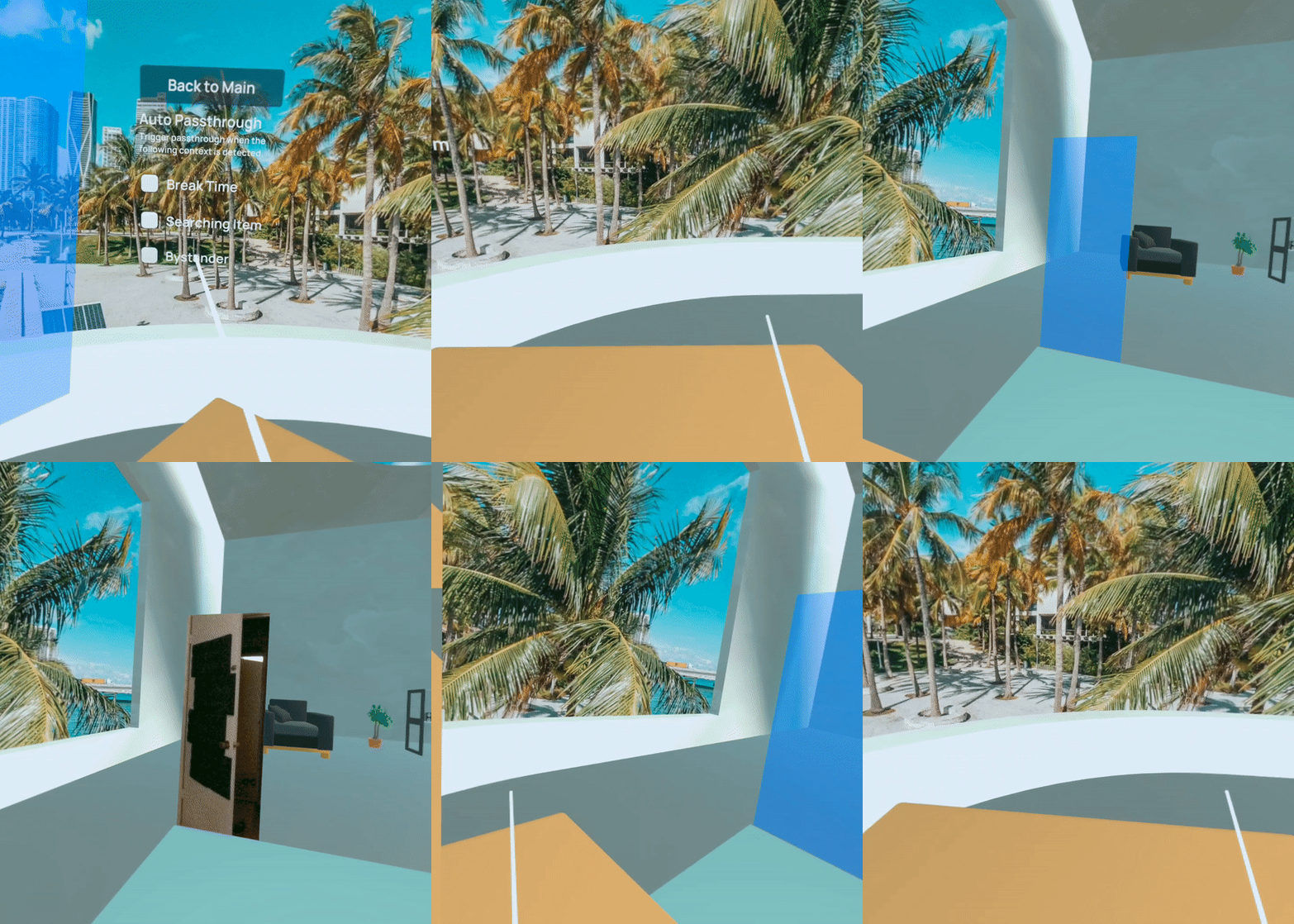
1st-person view
when someone enters the room, the area near the door will change to passthrough view.
Background Research
UNDERSTAND THE RELATIONSHIP BETWEEN VIRTUAL AND PHYSICAL WORLDS
Speaking of Reality and the Virtual world, many people think of them as dichotomy.
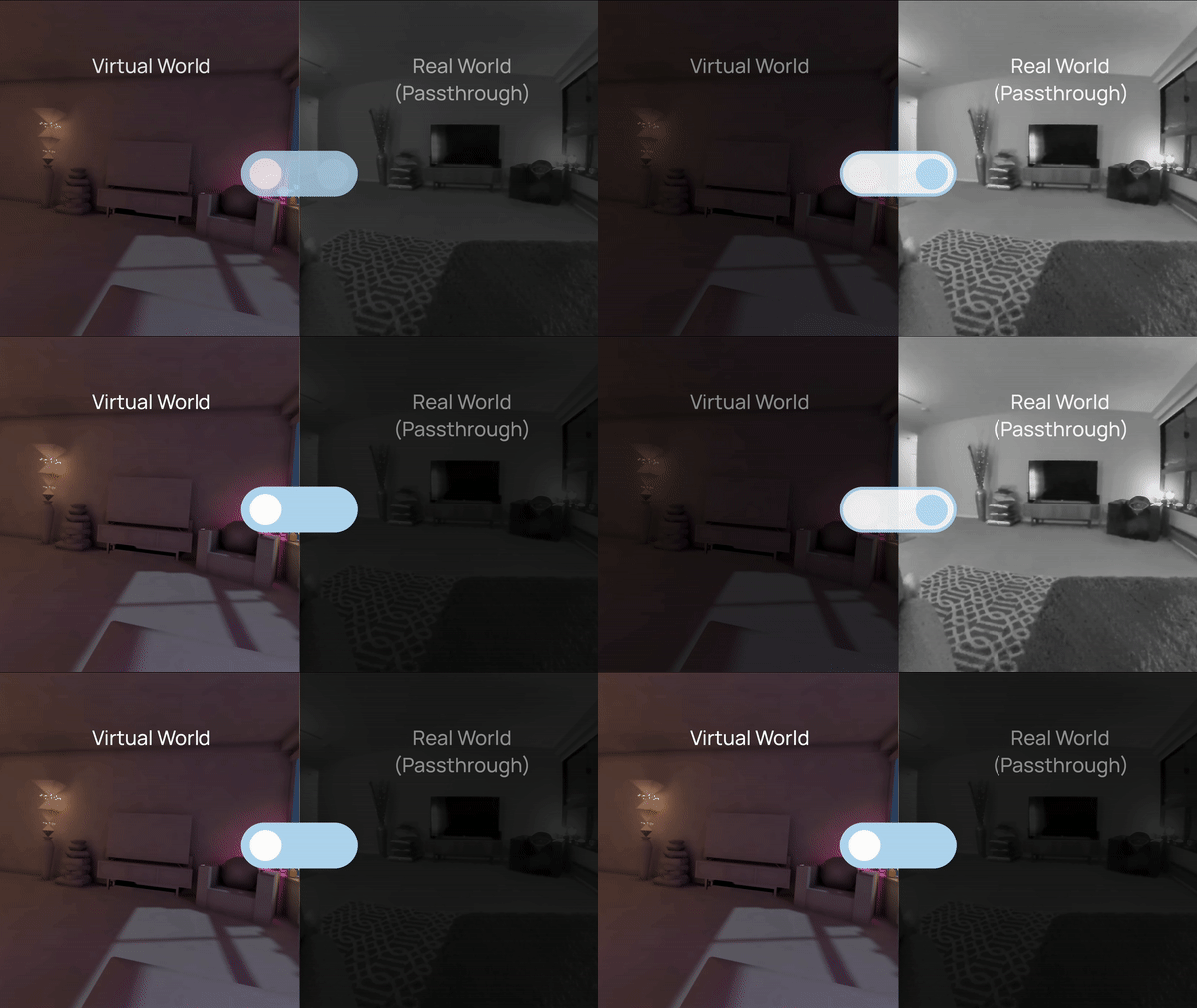
But in fact, from the physical world to the virtual world is not like toggling a switch, but moving along a continuum.

Reality-Virtuality Continuum by Milgram et al.
3 Typles of Blending
The "interval" of the continuum is where blending happens. We summarize 3 types of blending in current applications, which include different ways of blending virtual and real worlds in Mixed Reality.
Among these, we choose the 3rd category, unveiling as the focus of this project.

Enhancement
overlaying physical content with virtual modifications to improve their forms or functions

Diminishment
weakens or obstructs physical content to reduce its significance or replace its functionalities

Unveiling
reveals the physical appearance of real-world objects and environments
User Research Insights
From exploratory user interviews, I want to know more about how might we improve the blending interactions and provide a better experience. We choose immersion level as an indicator to probe user needs.

01
Minimizing distractions when in urgent tasks.
Participants in studies prefer an environment that provides only essential information related to their current tasks during high-pressure situations, such as meeting deadlines. The physical world often presents numerous distractions that can hamper efficiency and focus.
02
Maintaining awareness of the physical world.
Participants in studies have highlighted safety considerations as a key reason for wanting to be aware of their surroundings. For example, individuals who are pet owners may want to maintain visual contact with their pets or be aware of potential hazards.
03
Seeing content in both real and digital world.
Participants would like to see content in both the real and digital worlds for various reasons, including gaining a sense of scale. Besides, they also want to see some physical objects what carries relevant information or personalility, such as post-it notes or desk decorations.
Problem Framing
From background and user research, we identify customization as the key to addressing different user needs. And developed this guiding question:
How might we provide users with a dynamic and customizable Mixed Reality environment based on different needs?
Design & Prototyping
Concept Ideation
During the ideation stage, we used low-fi storyboard to brainstorm some possible use cases.

Real world: a messy desk

Blended use case 1:
Dim the light for a "focus mode"

Blended use case 2:
Manipulate digital models in the "focus mode" and use real-world objects as the reference

Blended use case 3:
Showing select areas of the real world layer

Blended use case 4:
Use "spotlight" to find an object
Customization Aspects
Based on preliminary interviews with users and ideation results, we synthesized a list of properties that characterize the potential interactions for passthrough customization and automation.
01
Spatial Modifications
The ability to manipulate passthrough position, size and shape
02
Visual Modifications
The ability to manipulate passthrough opacity
03
Temporal Modifications
The duration of passthrough interaction
Blending Categories
Based on the customization aspects, we come up with 3 categories that provide users with different ways to customize the blending.
Prototyping User Flow and User Interface
When choosing the passthrough option, users mainly interact with a menu interface and using their controller to adjust certain parameters.

User Flow


Menu Structure

Controller UI prototyped in Unity
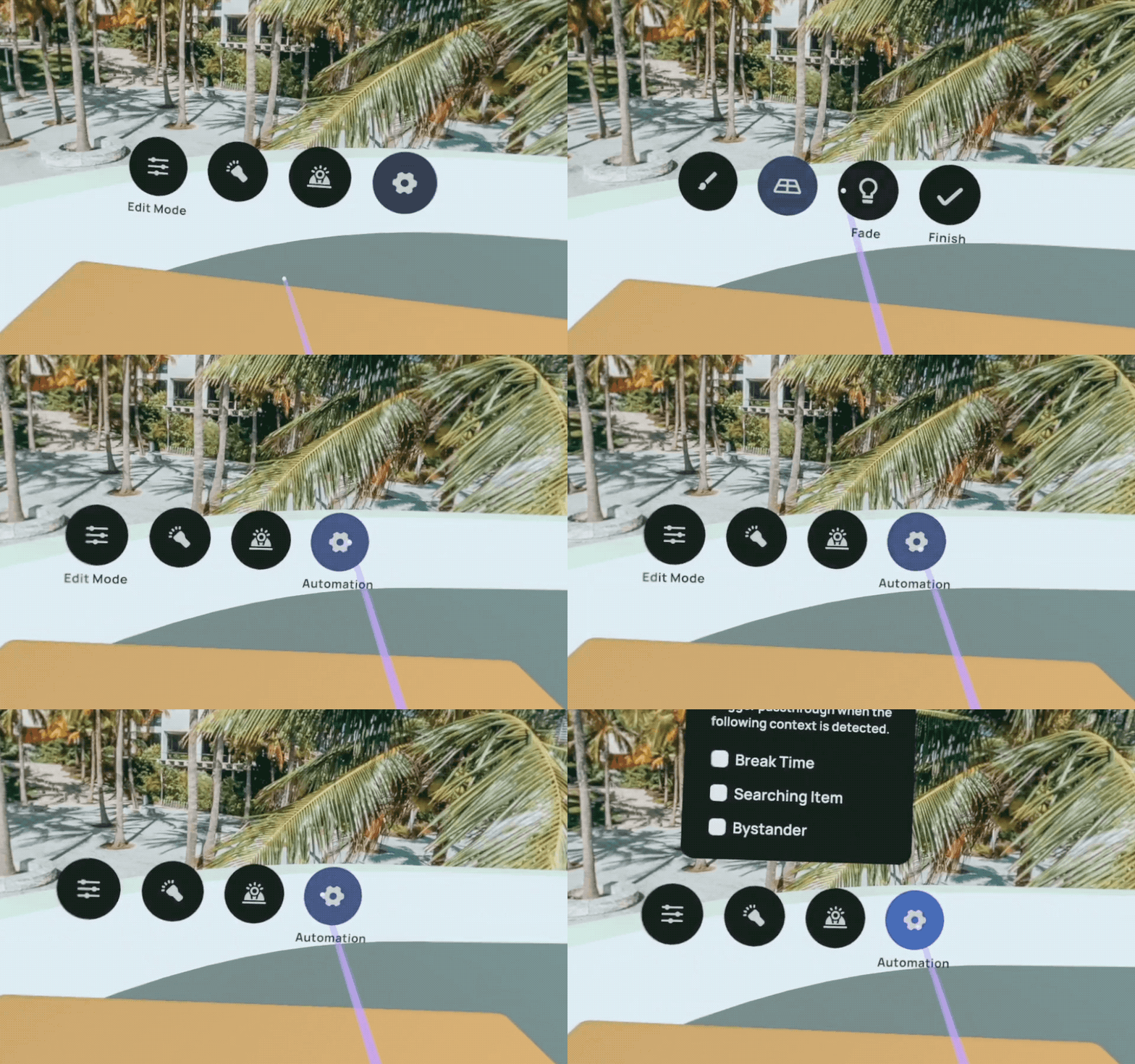
Menu UI (implemented)
Environment Curation

The environment consists of two parts. The hybrid space resembles the physical room the user is situated in, while the virtual space extends the hybrid space to create a spacious and cozy experience. The virtual space is mapped with the actual room as a digital twin using Meta's spatial anchor.
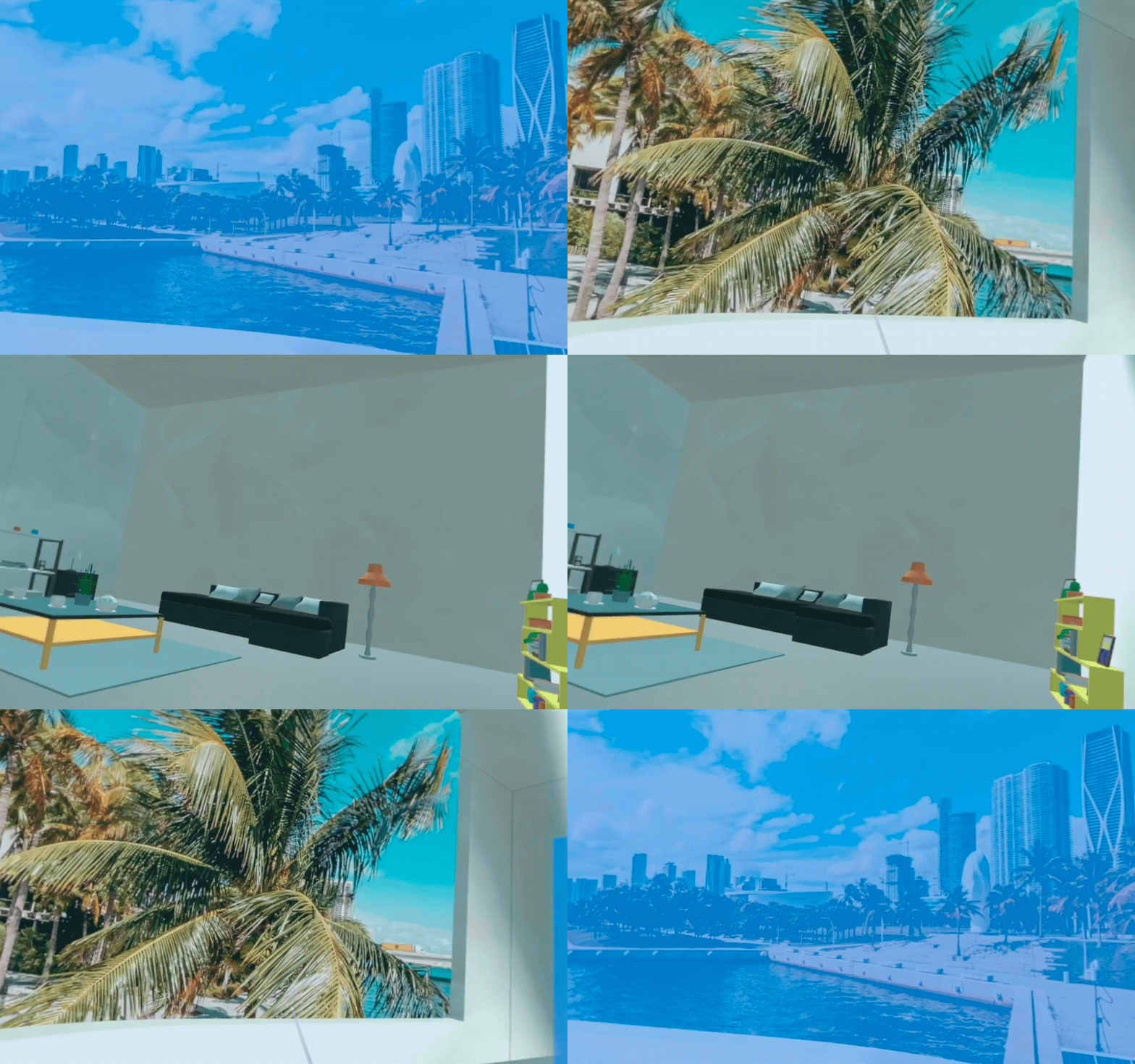
Virtual room prototyped in Unity
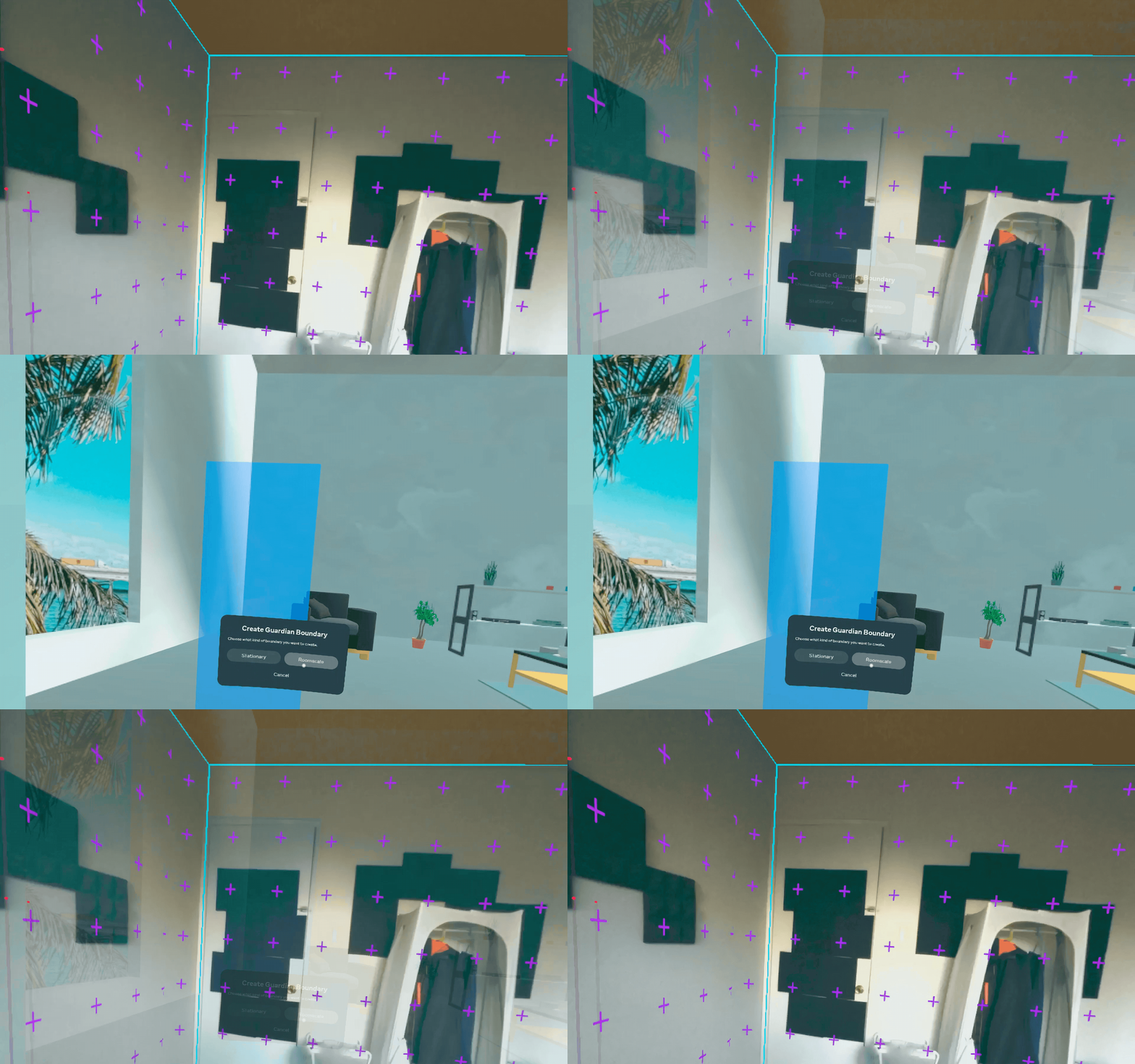
Room mapping using spatial anchor
Technical Iplementation
The MR workspace is a customizable 3D environment that blends physical and virtual worlds. The intermixing of the two worlds is achieved by compositing different layers together. The position and opacity of the content in each layer contribute to the overall blending of the scene. These layers can be conceptually categorized into four types based on their rendering priority in the depth buffer.

Compositing Layers